Adding Photos to Memories
Learn how to add photos to memories.
This guide covers how to add photos to a memory.
There are two ways to add photos. The first - and coolest - is during a live conversation with Ember. While you're talking, click the circle with the image icon, and click again to upload one or multiple photos. Ember can see the photos you upload and will have a more engaging conversation as a result. Once you save the memory, the photos will appear in your Memory Studio.
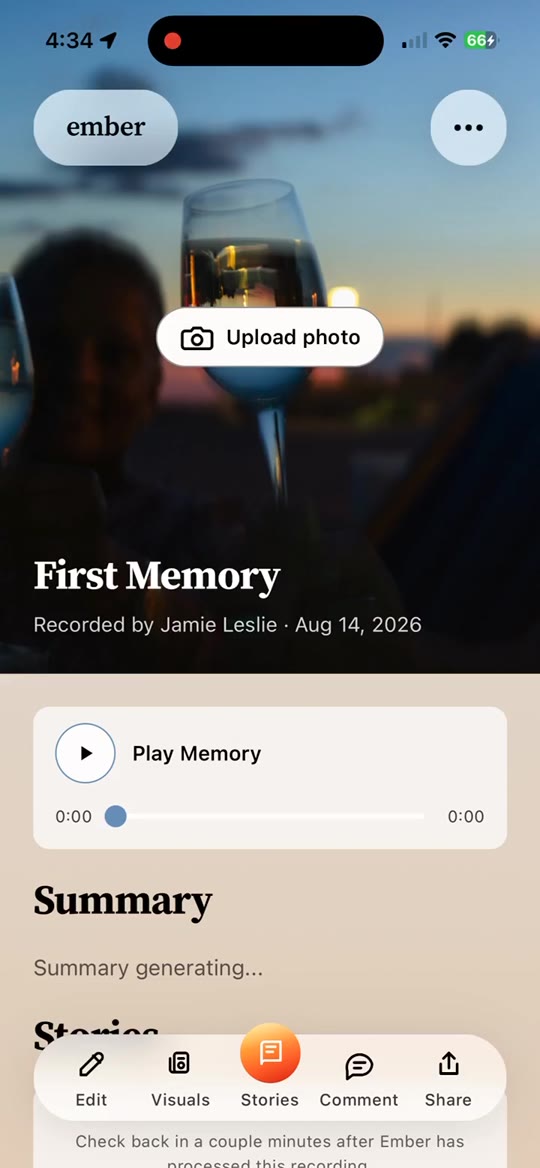
The second way is after a memory has been completed. Find the memory card in Memory Archives, click into it, and look for the card that says Visuals. Clicking this will give you the option to upload photos.
Uploading photos makes each memory more special and more memorable. Photos can also be used when creating stories, and they improve the quality of story generation. You can learn about all the things you can do with memories in another guide.