Documentation How-to Guides

Exploring Topics to Talk About

Learn how to browse topics to talk about, how they're categorized, and how to start one.

This guide explains how the Topics to Talk About section works and how to browse, choose, and assign topics.

Whenever you talk with Ember, you're talking for a reason - it could be to record a memory about a specific time and place, or to learn how to use the app. Topics are curated experiences that let you focus on a specific thing.

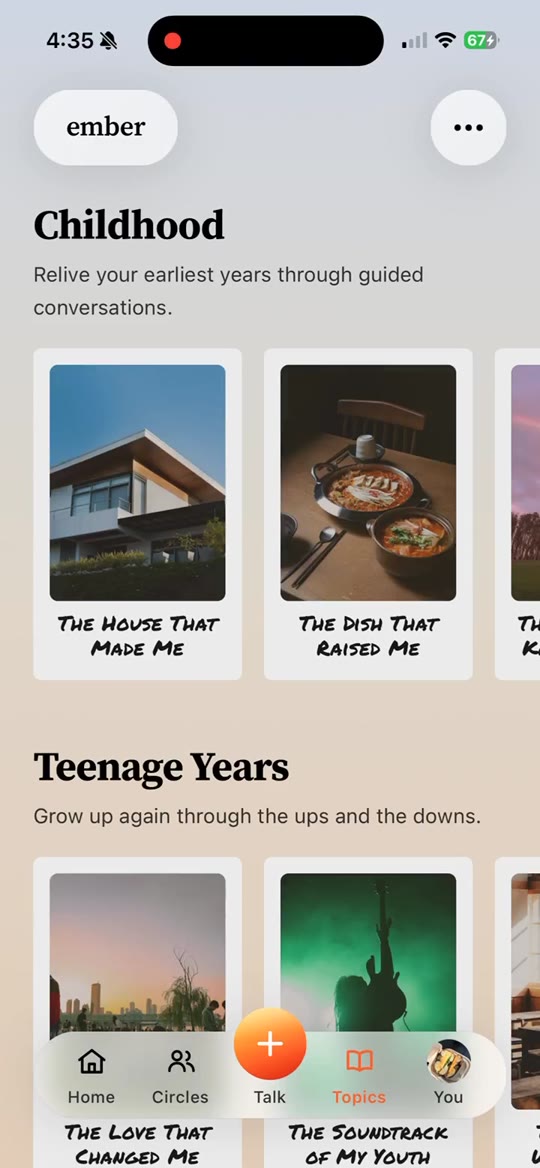
You can view topics from the Topics to Talk About page. It looks a lot like a Netflix app. You can swipe up, down, left, and right to browse. Each row has a header so you can see what category the topics fall into.

The first row of the Topics to Talk About page will always be helpful "how-to" guides. The rows below are organized in two ways: by era (since some topics focus on a specific time period in your life) and by mood (light and funny, introspective, etc.).

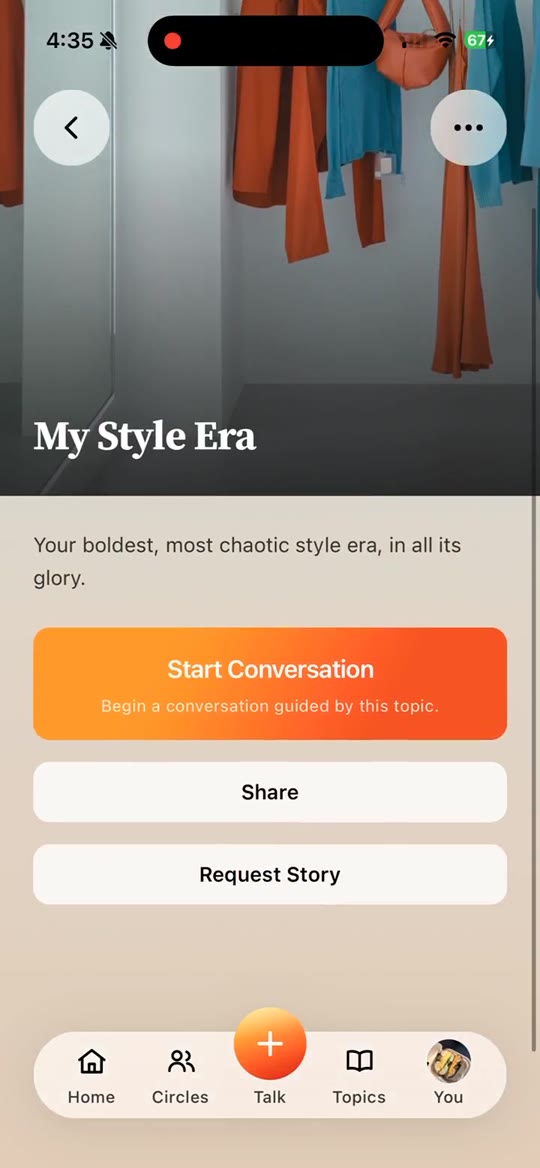
When you click on any topic card, take note of 3 things:

  1. At the top, you'll see a description of the topic - what to expect in the conversation, and how long it's expected to take.
  2. Below that, you'll see cards representing people in your family or circles. Each card has a button you can use to assign the topic to yourself or invite others to talk about it. The badge changes once someone has completed the topic. At that point, you can click the card and be taken to the memory to listen, read, and generate content from it.
  3. If you have multiple circles, you may not see everyone you expect. Look for the circles icon in the top right and click it to expand. From there, select the circle you want to view.

You can invite people to share a memory by clicking their button. Pending invitations and saved topics can be tracked from the Talk page. You can also revisit any topic as many times as you want.

If you don't see a topic you want to talk about, or just want to freestyle, we have custom topics for that. Go to the Talk page and look for cards on the right side of the carousel that let you free talk with Ember. There's a separate guide that explains freestyle mode in more detail.